
What is a BYOD huddle room?
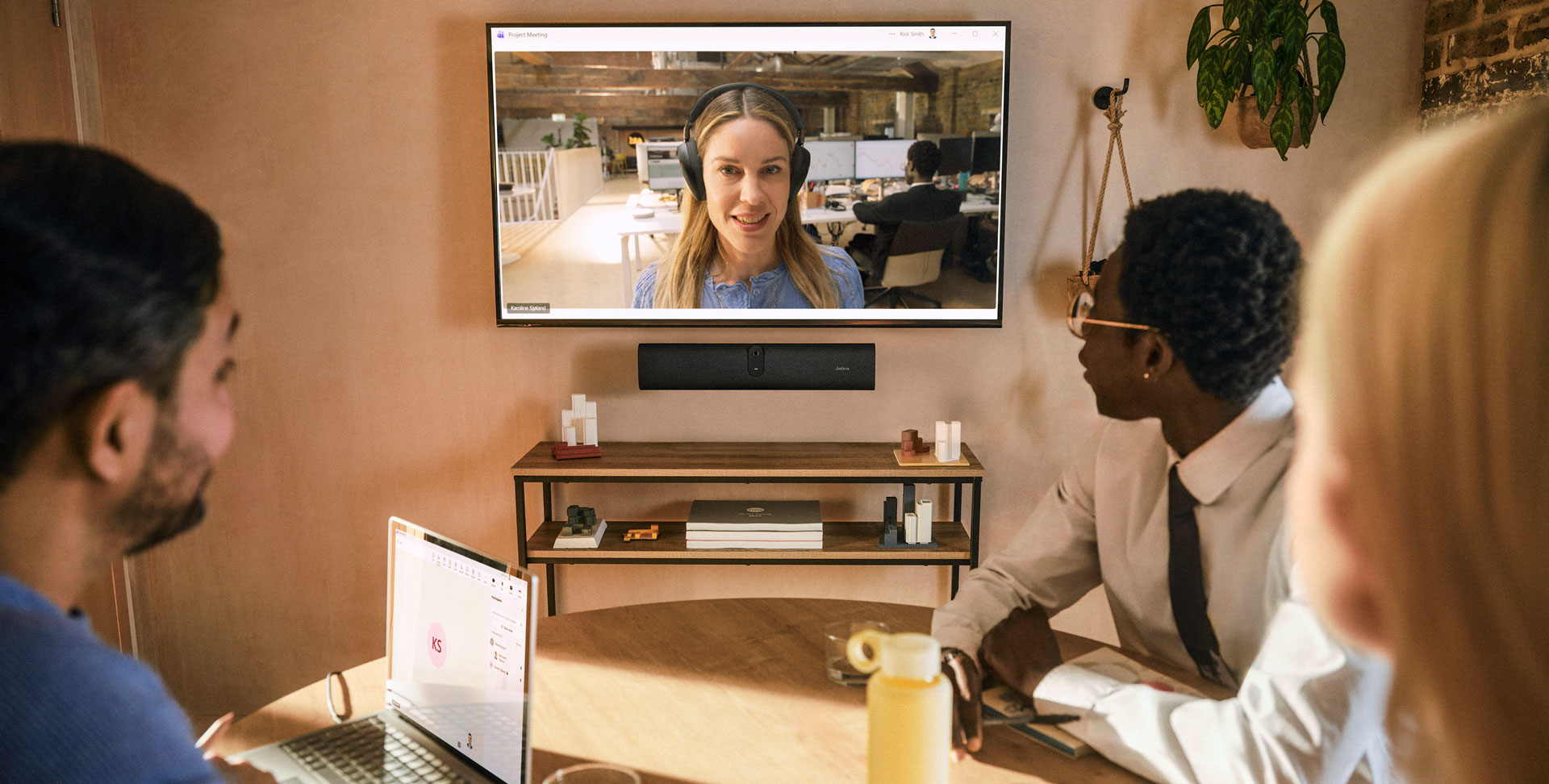
A bring-your-own-device huddle room uses an employee's laptop as the meeting engine. The user opens Microsoft Teams, Zoom or another approved application on that laptop, then connects to fixed room equipment.
A USB video bar can provide the camera, microphones and loudspeaker, while the room display shows remote participants and shared content. The laptop retains the user's calendar, identity, application settings and familiar controls.
That model is different from a native room system with dedicated compute, a room account and a touch controller. BYOD can reduce the number of room-side decisions, but it transfers important requirements to laptops, cables and users.
A Shanghai AV integrator for workplace collaboration should therefore design the connection journey as carefully as the camera view. The room is successful only when an occasional user can connect, select the correct devices and begin without troubleshooting.
When is BYOD the better choice?
BYOD fits small spaces used for short, informal meetings where participants regularly bring managed laptops. It is especially useful when several conferencing platforms must be supported, guests often lead calls, or the organisation prefers users to work through their own authenticated applications.
A simple cable-led workflow can also avoid teaching people a second room interface when their laptop already provides the controls they know.
Choose it deliberately. A native room appliance may be better when rooms depend on one-touch calendar joining, users frequently arrive without laptops, meetings must start independently of one person's device, or IT needs a tightly controlled room-account experience.
The decision follows the same principle described in Sinoway's guide to simpler meeting-room design in Shanghai: standardise the user journey first, then select the architecture that makes that journey repeatable.
Start with the first-minute connection journey
Write the first minute as a sequence. The user enters, wakes or connects to the display, plugs in one clearly labelled cable, opens the meeting and confirms that the room camera, microphone and loudspeaker are active.
If the display offers an idle-screen guide, the instructions should match the actual cable and approved laptop workflow. Avoid generic labels such as 'input' when 'Connect your laptop here' is more useful.
Then test common variations. A laptop may already be paired with a headset, may remember another camera, or may not support video output over the selected USB-C port. The meeting application may reopen with yesterday's audio choice. Define how users recognise the problem and recover without calling support.
Where a single cable carries USB data and display video, confirm that the laptop and cable support the required USB-C functions rather than assuming every USB-C connector behaves identically.
Design around the whole huddle room
A compact video bar cannot correct a poor room. Check the closest and farthest seats, table width, camera height, display sightlines, window positions and the direction people naturally face. A wide field of view can include seats close to the screen, but it may also include doors, circulation or bright windows.
Place the display and furniture so the camera sees participants at a useful scale without making the room feel cramped.
Speech quality depends on room volume, reverberation, background noise and how people sit, not only on the number of microphones. Hard glass walls and noisy air conditioning can undermine a small-room system quickly. Test natural conversation from every seat, including quiet speakers and people turned toward a colleague.
An audiovisual company in Shanghai should coordinate acoustic treatment, lighting and furniture changes early, because these modest room improvements can be more valuable than choosing a more complex device.
What does the Jabra PanaCast U30 approach show?
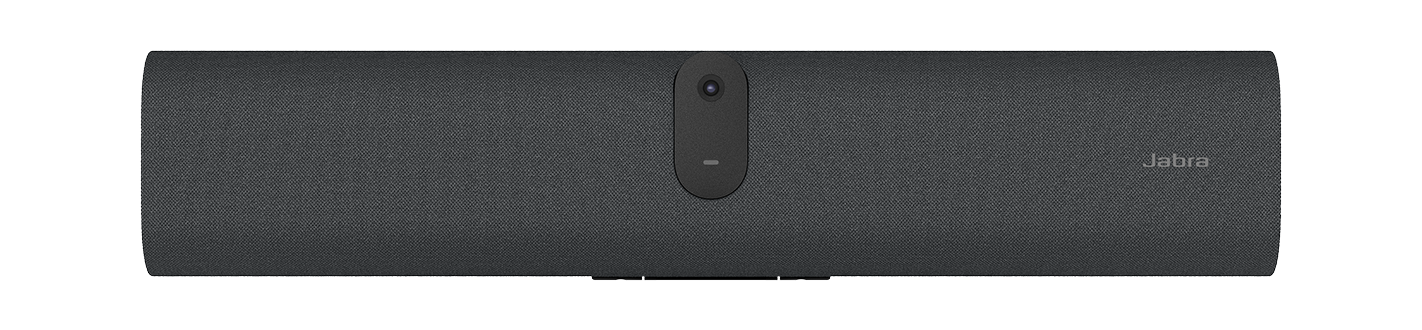
The current Jabra PanaCast U30 product information describes a compact USB video bar for huddle and small meeting rooms. Jabra lists one USB-C connection for BYOD, a 4K camera with a 120-degree horizontal field of view, six microphones, one loudspeaker, HDMI input and output, an included 1. 8-metre USB-C cable, a privacy cover and a wall mount.
The page also lists Jabra Plus and its web console for management.
These specifications make the U30 a useful example of the category, not an automatic answer for every small room. The 529-millimetre-wide unit still needs a compatible display, suitable mounting position, power, cable routing and a laptop placement that users understand.
Jabra says the product works with Microsoft Teams and Zoom; the current Zoom certified hardware directory lists PanaCast U30 as a certified USB conference-room camera from May 2026. Certification should always be rechecked at procurement and commissioning.
Treat USB-C and cable reach as engineering
The physical cable determines whether the intended simplicity survives installation. Confirm where the laptop will sit, how the cable reaches it, whether the connector is protected from strain and how excess cable is stored. Avoid placing a short lead where users must pull it across the table.
If an extension is needed, use a manufacturer-supported option and validate video, audio, display output and stability at the final length.
USB-C labels alone do not prove identical capability. Laptop ports, docks and cables can differ in data rate, DisplayPort Alt Mode, power delivery and security policy. Create an approved device matrix covering common Windows and macOS models, then test cold connection, reconnection, sleep and wake, and a full meeting.
Record the working configuration in the room standard so a future cable replacement does not quietly change performance.
Decide how content and charging should work
A one-cable promise needs a precise definition. Does the same connection deliver the room camera and audio, send the laptop image to the display and charge the laptop? If charging is not provided, make a power outlet available and explain the workflow.
If the room also accepts HDMI, decide when users should use it and whether two visible connection choices will create uncertainty. Fewer choices are better only when the remaining choice handles the real task.
Test shared content at the resolution and scale employees actually use. Spreadsheets, detailed drawings and small interface text may require different display sizes from a simple video call.
This is where a BYOD bar and an all-in-one collaboration board in Shanghai serve different priorities: the former centres the laptop-led meeting, while the latter may add integrated touch and whiteboarding. Room purpose should decide which capability matters.
Plan privacy, network management and updates
BYOD does not remove room devices from IT governance. If a video bar connects to the corporate network for management, agree its VLAN, addressing, certificate, proxy, time and access requirements. Decide who can change settings, retrieve logs and approve firmware.
If network connection is not permitted, document the supported local update method and the inspection schedule. A room that misses security and reliability updates is not simpler; its operational work has merely become invisible.
Physical privacy matters too. Users should be able to see when the camera is active and close a privacy cover when appropriate. Cable and display behaviour should not leave the previous user's content visible.
Define whether wireless interfaces are enabled, how device passwords are managed and what information remote tools collect. These decisions belong in the organisation's regional AV standards for China and Asia, not in an installer-only note.
Build a pilot that tests real work
Pilot the complete room rather than testing a video bar on a technician's desk. Use the final display, mount, furniture, cable path, network and approved laptop models. Invite frequent and occasional users, plus remote participants who can judge speech and camera framing.
Run scheduled and ad-hoc meetings on the platforms the business actually uses. Include a guest laptop if policy permits guest-led sessions.
Measure time to connect, first-time device selection, audio from every seat, camera framing, content readability and recovery after sleep or disconnection. Record every moment when a user asks what to do next.
A pilot is successful when the organisation can turn evidence into a repeatable room type: physical layout, approved equipment, laptop compatibility, labels, commissioning tests, support instructions and acceptance criteria.
Support the laptop, cable and room as one service
When a BYOD meeting fails, responsibility can be unclear. The cause may sit in the laptop, application, USB connection, display, video bar, room network or user settings. Give employees one support route and train the first-response team to separate these layers quickly.
Keep a known-good test laptop and spare approved cable available so support can identify whether the fault follows the user device or remains in the room.
Monitor the room equipment where policy allows, review firmware before deployment and track repeat incidents by room and laptop model. Sinoway's approach to managed AV services in China connects technical visibility with accountable local response. For business-critical spaces, add scheduled readiness checks.
BYOD saves effort only when the support model covers the connections on which the experience depends.
How should an AV integrator standardise BYOD rooms?
Begin with a small-room purpose statement and the approved meeting platforms. Define occupancy, seating, camera and microphone coverage, display readability, laptop position, connection steps, guest policy, network management and privacy. Select a USB video bar only after those requirements are clear.
The chosen device should meet the room, while the room design should keep people within its useful coverage.
Then document the whole standard: equipment, mounting, power, cable specification, supported laptops, firmware baseline, labels, user guidance, commissioning scripts, spares and escalation. Revalidate product availability and platform certification before each rollout because software and directories change.
A capable AV integrator in Shanghai or China turns a compact product into a dependable service by owning these details from survey through lifecycle support.
Frequently asked questions
What does BYOD mean in a huddle room?
BYOD means the participant's laptop runs the meeting application and connects to fixed room camera, microphone, loudspeaker and display equipment.
Is a USB video bar enough for every small meeting room?
No. Suitability depends on seating distance, room acoustics, lighting, camera view, cable reach, laptop compatibility, display needs and the support model.
Does USB-C always provide video, audio and charging?
No. USB-C ports and cables can support different functions. The complete connection must be validated with approved laptops, the selected cable and the final room equipment.
Should a BYOD video bar connect to the network?
Network connection can enable remote management and updates, but it must follow corporate security policy. If the device remains offline, define a supported local maintenance process.
When is a native room system better than BYOD?
A native room system is often better when one-touch calendar joining, a dedicated room account, laptop-free meetings and a tightly controlled platform experience are priorities.