
What is an intelligent multi-camera boardroom?
An intelligent multi-camera boardroom uses several cameras and information from the room audio system to select useful views automatically. A wide shot can establish the room, while closer shots show the active speaker or presenter. The objective is not constant movement.
It is to give remote participants visual context that feels natural enough for them to follow discussion, reactions and changes of speaker without a camera operator.
This approach is most valuable in long boardrooms, executive briefing spaces, training rooms and town-hall environments where one front camera leaves distant participants too small. A Shanghai AV integrator for workplace collaboration should first ask whether closer views improve the meeting.
If a small room is already covered well by one camera, adding automated switching can introduce cost and motion without solving a genuine communication problem.
Begin with the meeting, not the camera count
Map the conversations that actually occur. A formal board meeting may move between a chairperson, participants around a long table, a presenter and shared content. An executive briefing may include several seating layouts. A divisible training room may need different camera logic when partitions open.
These patterns determine the required views, microphone zones and room scenarios more accurately than a generic request for four or six cameras.
Define the remote experience for each pattern. Decide when the audience should see an individual, a pair, a table group, the whole room or the presenter beside content. Then agree how quickly a shot may change, how interruptions are handled and when automation should hold a view.
The same user-first method in Sinoway's guide to simpler meeting-room design in Shanghai applies here: sophisticated engineering should produce a predictable experience, not expose more controls.
What does Crestron Automate VX2 do?
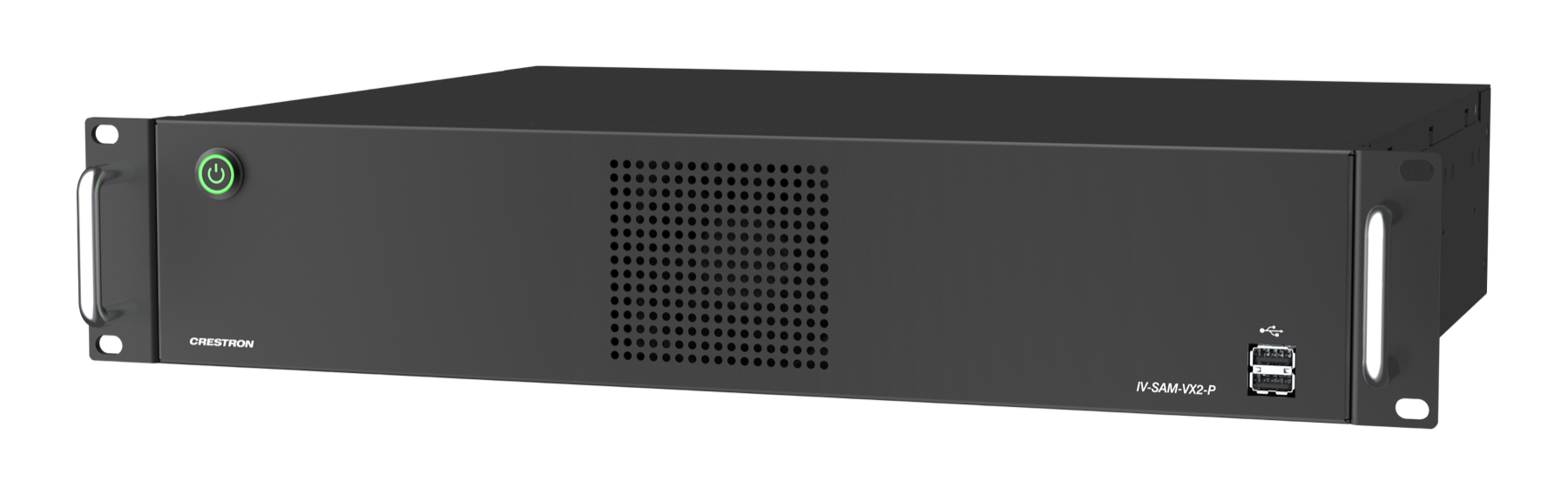
The current Crestron Automate VX2 Pro product page describes a voice-activated multi-camera system for meetings, town halls and classrooms. Crestron states that its cameras switch according to the location of the active speaker.
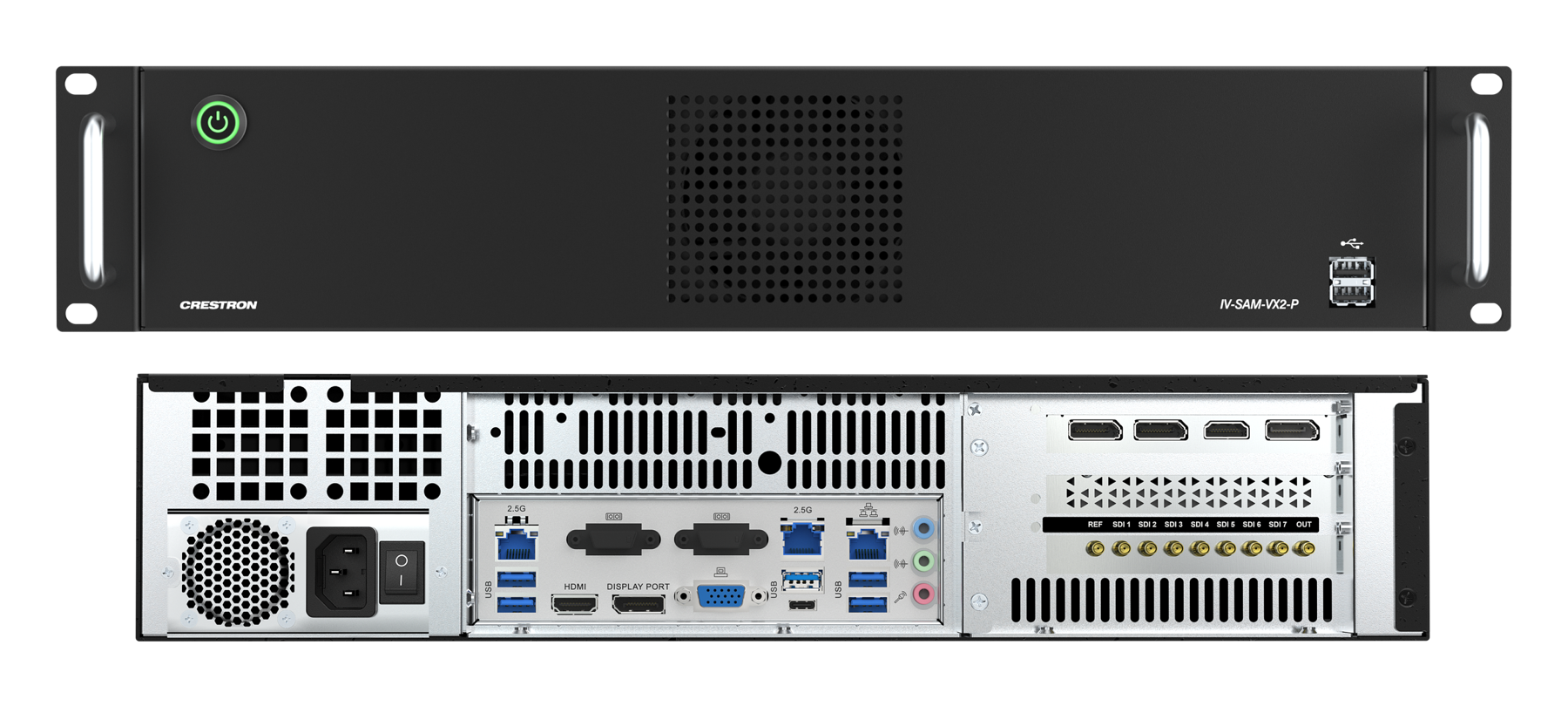
The Pro model supports seven SDI or twelve NDI|HX camera sources, plus one USB camera source, and provides SDI and NDI output paths.
Crestron also documents Visual AI auto-framing and reframing, browser-based Room Designer configuration, custom layouts, recording, streaming and control integration. These are system capabilities rather than a finished boardroom design.
The processor still needs compatible cameras, microphone information, a conferencing path, displays, loudspeakers, network services, control and suitable room conditions. An audiovisual company in Shanghai should explain which features serve the meeting and which are unnecessary for the intended operating model.
Avoid an obsolete Automate VX specification
Product names can conceal a lifecycle change. Crestron's earlier IV-SAM-VXN-1B Automate VX Plus is now listed as discontinued, while current documentation covers the IV-SAM-VX2-S and IV-SAM-VX2-P Series 2 systems. A project brief that says only “Automate VX Plus” may therefore lead a tender toward an older reference.
Procurement documents should identify the current model and approved software baseline explicitly.
Recheck availability, camera compatibility, firmware and conferencing certification before ordering and again before commissioning. Do not assume a design copied from an older office remains supportable. These controls belong in the organisation's regional AV standards for China and Asia, together with substitution rules and lifecycle ownership.
A current design is not merely new equipment; it is a documented combination that can be supported after handover.
Design the camera views before mounting hardware
Create a shot plan over an accurate room drawing. Mark every seat, presentation position, display, door, window and likely obstruction. For each camera, identify the useful targets and the backgrounds that will appear behind them.
Camera height and horizontal angle affect eye line, while distance and optical reach affect image detail. A technically reachable shot may still look unnatural if it captures a speaker in profile or places a bright display directly behind the person.
Plan at least one stable establishing view that remains useful while other cameras reposition. Avoid crossing the visual axis so remote viewers do not feel the conversation has reversed direction between cuts. Check how laptops, water bottles, table microphones and raised hands affect sightlines.
If the room has several layouts, produce and test a separate scenario for each approved furniture arrangement rather than expecting one camera map to interpret every possible configuration.
Audio data determines whether switching feels intelligent
Speaker-led video depends on reliable location information from the microphone and audio-processing system. Microphone coverage must match the seating plan, and the room needs controlled reverberation and background noise.
If two seats fall into the same broad zone, the system may select a group view rather than a tight individual shot. If reflections or noise make location data unstable, the video can appear indecisive even when each camera is working correctly.
Design audio and video together. Confirm supported microphone and DSP combinations, coordinate identifiers and zones, then test quiet speakers, overlapping speech and people turning away from the table. The loudest person should not automatically create the most disruptive camera behaviour.
Good switching rules include timing, confidence and appropriate fallback shots. An AV integrator in China should tune for the room's language patterns and meeting etiquette, not only for a scripted commissioning sentence.
Use AutoMeasure as a starting point, not final proof
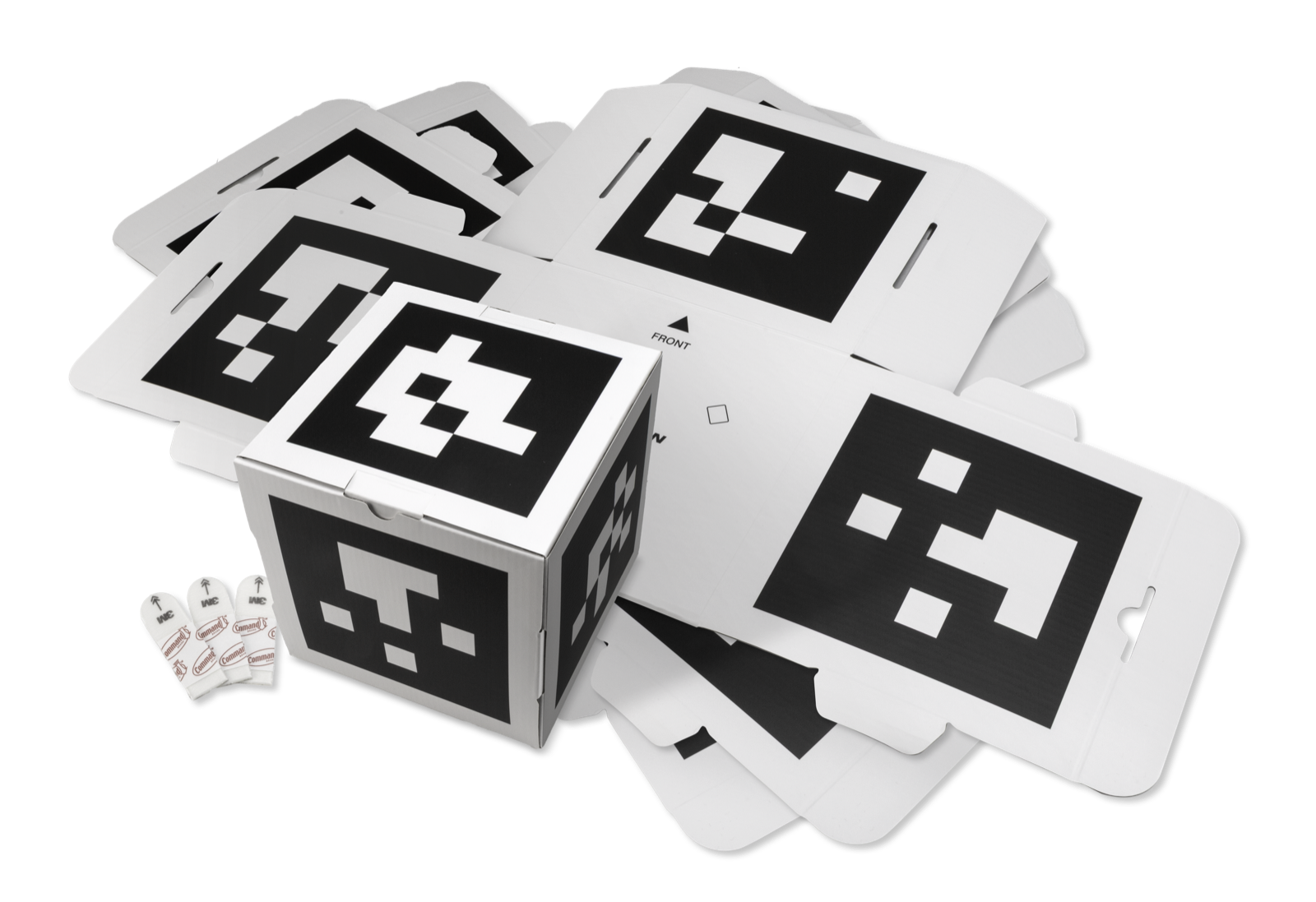
Crestron's current Automate VX2 AutoMeasure documentation says the feature uses marked cubes to measure supported camera and microphone positions and update their coordinates and orientation in the Room Configuration file.
Crestron states that AutoMeasure is available only for VX2 systems, requires supported models and can take up to fifteen minutes to complete.
That automation can reduce manual measurement work, but the documentation also requires performance verification afterward. Human commissioning remains essential. Engineers must inspect every target, adjust composition, check boundaries between microphone zones and observe switching during realistic discussion.
AutoMeasure cannot decide whether a shot flatters an executive, whether a background is distracting or whether a transition occurs too often. Measurement accelerates setup; acceptance testing determines whether the experience is ready.
Choose SDI or NDI with the network team
SDI provides a dedicated video connection, while NDI|HX can carry camera streams across an IP network. The right choice depends on distance, pathways, network architecture, security policy, service skills and future flexibility.
Even when SDI carries video, Crestron's current documentation requires network connections for camera discovery and control. The design therefore needs an IP plan in either case, including addresses, switch ports, access rules, time services and management responsibility.
For NDI, calculate aggregate bandwidth and validate switch capacity, multicast or unicast behaviour, quality of service where appropriate and failure domains. Keep the conferencing, control and camera networks understandable to support teams. Document every address, port, cable and configuration backup.
A system that works only because one engineer remembers an undocumented switch setting is not production-ready, however intelligent the camera switching appears during demonstration.
Integrate conferencing, content and control deliberately
The multi-camera system supplies a composed video output to the chosen conferencing environment; it does not replace the room platform. Confirm the supported signal path, resolution, USB conversion, compute, room account and touch-controller workflow as a complete chain.
Test how the platform receives the video, what users see in self-view and whether remote participants receive the intended framing. Revalidate the current platform certification at procurement because approved combinations and firmware can change.
Content sharing also needs visual priority. Decide whether remote viewers see the active speaker, shared content or a composed layout during presentation. Give users simple controls for privacy, camera mode, approved room scenarios and a stable manual view. Do not expose technical camera numbers.
If the design also supports laptop-led meetings, follow the cable and support principles in Sinoway's BYOD huddle-room design guide for China, then test the handover between native room and laptop modes.
Commission with real conversations
A successful camera preset test is not an acceptance test. Seat people in every approved position and run realistic discussions. Include rapid exchanges, pauses, interruptions, side conversations, a standing presenter and participants who speak softly.
Observe the experience from a remote endpoint, because the people in the room cannot judge the final composed video accurately. Test each furniture scenario, content mode and manual fallback.
Record measurable criteria: no empty shot after a normal handover, stable framing for seated participants, understandable transitions, intelligible speech, readable content and a defined recovery after a camera or microphone failure. Review video recordings with stakeholders where policy permits.
Adjust switching delays and shot boundaries from evidence. The acceptance record should identify software versions, configuration files and known limitations so later service work has a trustworthy baseline.
Plan privacy and human control
Closer automated views can make participants more visible than a conventional wide camera. Explain what the system tracks, when it is active, whether sessions can be recorded and who can access recordings. Align indicators, privacy controls and retention with corporate policy.
Avoid camera angles that capture sensitive displays, circulation areas or adjacent rooms through glass. Privacy should be visible in the user journey rather than buried in technical documentation.
Provide a calm fallback: a whole-room view, camera-off state or manual mode that an authorised user can select without navigating an engineering interface. The control surface should show the current state and make it clear how automation resumes.
This is especially important for confidential board discussions and external briefings. Intelligent automation earns trust when participants understand its purpose and remain able to control the experience.
Operate the boardroom as a supported service
Multi-camera rooms contain more dependencies than a standard space: cameras, microphone zones, processing, network paths, conferencing compute, control logic and software versions.
Choose the room platform using Sinoway's 2026 meeting-room compute guide for China, then monitor what policy permits, maintain configuration backups and define a known-good software baseline. Keep a spare strategy for critical components and schedule readiness checks before high-profile meetings.
Sinoway's approach to managed AV services in China connects central visibility with accountable local response.
Review incidents by workflow, not just by device. A complaint that “the camera missed me” may come from microphone location data, a furniture change, lighting, an altered configuration or the camera itself. Preserve the room drawing and shot plan after construction, and update them when tables move.
A capable AV integrator in Shanghai turns the system into a maintained operating environment, ensuring that today's intelligent feature remains dependable through future meetings, updates and organisational change.
How should a company brief an AV integrator in Shanghai?
Describe the meetings, participants, room layouts, platforms and privacy expectations before naming products. Ask the integrator to provide a shot plan, microphone-zone strategy, signal flow, network requirements, control journey, certification checks, commissioning method and support model.
Require current model references and evidence that discontinued equipment has been excluded. Agree who owns configuration, software updates and revalidation after furniture or platform changes.
Then pilot the complete experience with representative users and remote reviewers. The best proposal is not the one with the largest camera count; it is the one that explains how every view improves communication and how the organisation will keep it working.
Sinoway Technology supports companies seeking an audiovisual company in Shanghai and China to connect workplace design, engineering, deployment and lifecycle service across Asia.